Best Local LLM for 64GB RAM (2026): gpt-oss 120B Wins
64GB keeps getting better through July 2026. Llama 4 Scout (10M context) fits at ~58GB. DeepSeek V4 Flash reaches Ollama via cloud; local runs still need community forks. Poolside's new Laguna XS 2.1 adds a 256K-context agentic coder at just 36GB Q8. gpt-oss 120B at Q4 remains the production-reliable pick for OpenClaw agent loops. Mac Studio M2/M3 Max territory.
Running production OpenClaw on 64GB?
See our AI training options. We'll architect a triple-model setup that turns your Mac Studio into a private LLM server.
- Laguna XS 2.1 (Poolside, 33B/3B MoE) — ~36GB at Q8, 256K context, agentic coding, +5.4% SWE-bench Multilingual over XS.2, in Ollama now
- Llama 4 Scout (Meta, 109B/17B MoE) — ~58GB at Q4, 10 million token context window, 31 tok/sec, best long-document model locally
- DeepSeek V4 Flash (284B/13B MoE) — on Ollama cloud since April 25; local runs still need experimental forks
- Llama 4 Maverick (400B) does NOT fit 64GB — needs 128GB. Don't confuse with Scout.
Shopping, not just reading? Our full gear ladder lists every verified pick by tier — Macs, single GPUs, and multi-GPU builds — with what to buy and what to skip.
Watch: Can DeepSeek Actually Code Like Claude?
DeepSeek V4 Flash is one of the standout 64GB picks below for coding. We put it up against Claude in a live, unedited test to see whether a local model on this tier can really replace a cloud coding agent.
Bottom Line (2026)
- Best overall pick: gpt-oss 120B at Q4_K_M (production-proven, cleanest tool calls)
- Best long documents: Llama 4 Scout at Q4 — 10M context window, nothing else comes close
- Best agentic coding you can run today: Laguna XS 2.1 (33B/3B MoE) at Q8 — 256K context, ~36GB, in Ollama
- Best raw coding benchmark: DeepSeek V4 Flash — top SWE-Bench, but local runs still need experimental forks (Ollama cloud otherwise)
- Best premium reasoning: Mistral Small 4 (119B-A6B MoE) at Q4_K_M
- Best fast inference: Qwen 3.6 35B-A3B at Q8_0
- Best dense model at near-lossless quant: Gemma 4 31B at Q8_0 (~32.6GB, 256K context, multimodal)
If you are still deciding whether 64GB is worth it, start with the exact 32GB answer: best local LLM for 32GB RAM. For many OpenClaw users, 32GB is enough for Qwen 3.6 27B Q6 and gpt-oss 20B Q8; 64GB is the upgrade when you want bigger context, 70B-class experiments, or multiple serious models loaded at once.
If you came in through a community-style search like “best local LLM reddit 64GB RAM”, use the shorter Reddit-intent answer too: Best local LLM Reddit users recommend for 64GB RAM. It compresses this guide into the practical shortlist: Qwen for speed, gpt-oss for OpenClaw tool calls, and Scout when long context is the actual bottleneck.
Top Picks for 64GB RAM
1. Llama 4 Scout (109B/17B MoE) at Q4 — 10M context window [New June 2026]
Meta’s long-context specialist. 109B total / 17B active per token. At Q4_K_M it uses ~58-60GB — fits comfortably in 64GB with context headroom. The 10 million token context window is the most practically significant new feature in the June 2026 model wave.
ollama run llama4:scout
openclaw config set agents.defaults.models.chat ollama/llama4:scout

# Feed a whole codebase in one shot (Scout handles it at 64GB)
openclaw run --agent "Analyze the entire codebase and produce a security audit"
Speed: 31 tok/sec on Mac Studio M2 Max 64GB. Task success rate: 87% in our 30-day benchmark (slightly behind gpt-oss 120B). Quality on long-context tasks: best at this tier.
Use Scout when you need to process large inputs: full repo audits, long PDFs, extended conversation history. Use gpt-oss 120B for production agentic loops.
2. Laguna XS 2.1 (33B/3B MoE) at Q8 — best agentic coding [New July 2026]
Poolside’s July 2026 agentic coding model. 33B total / 3B active per token (MoE), 256K context window, up to 32K output tokens. At Q8/FP8 the weights use about 33-36GB — the smallest footprint of any serious coding pick at this tier, with room left for long context. It gains +5.4% on SWE-bench Multilingual over Laguna XS.2 and is built for tool calling and long-horizon terminal work.
ollama pull laguna-xs-2.1
openclaw config set agents.defaults.models.agent ollama/laguna-xs-2.1
openclaw run --agent "Fix the failing tests and open a PR"
Weights ship in BF16, FP8, NVFP4, and INT4 on Hugging Face. The FP8 KV cache keeps memory flat on long agent runs — a real advantage over dense 32B coders when OpenClaw loops run for hours.
3. DeepSeek V4 Flash (284B/13B MoE) — top coding benchmark, cloud-first
DeepSeek’s efficiency-tier model. 284B total / 13B active per token (MoE), 1M token context. Tops SWE-Bench Verified among open models. Status check (July 2026): it runs on Ollama cloud (since April 25, on Blackwell hardware), but no stable release of llama.cpp, Ollama, or LM Studio loads the V4 architecture locally yet — local runs depend on experimental community forks.
# Via Ollama cloud (no 160GB download):
ollama run deepseek-v4-flash:cloud

# Local: wait for stable V4 architecture support,
# or use experimental forks (ds4 engine)
If your goal is fully-local coding today, use Laguna XS 2.1 above. If you accept a cloud hop for the top benchmark model, the :cloud tag works now.
4. gpt-oss 120B (Q4_K_M) — best production pick
OpenAI’s flagship open-weight model at 120B. About 60GB at Q4_K_M with 32K context. Cleanest tool-call JSON of any open model — keeps OpenClaw happy through long autonomous loops. Speed: 18-30 tok/sec on Mac Studio M2 Max 64GB.
ollama pull gpt-oss:120b

openclaw config set agents.defaults.models.chat ollama/gpt-oss:120b
openclaw run --agent --max-hours 12 "Implement the spec end-to-end"
5. Mistral Small 4 (119B-A6B MoE) at Q4_K_M — best reasoning
Mistral’s March 16, 2026 release. 119B total parameters with 6B active per token = fast inference (~25 tok/sec on Apple Silicon) with 119B-class reasoning depth. Replaces the older Mistral Large 123B. About 60GB at Q4_K_M.
ollama pull mistral-small-4:q4_K_M
openclaw config set agents.defaults.models.chat ollama/mistral-small-4:q4_K_M
openclaw chat "Analyze the trade-offs in this RFC"
6. Qwen 3.6 35B-A3B (Q8_0) — premium fast model
Qwen’s April 22 MoE at full Q8 uses about 38GB. Top quality with 8B-class inference speed. Pick this when you want the highest-quality MoE response and have RAM left over for parallel apps.
ollama pull qwen3.6:35b-q8_0
7. Gemma 4 31B (Q8_0) — dense quality without quantization loss
Google’s dense Gemma 4, 30.7B parameters and a 256K context window with multimodal text and image input. The Q8_0 build is 32.6GB, so 64GB is the first tier where you can run it at a near-lossless quant and still have room for long context and a second model. Q6_K (25.2GB) buys back another 7GB if you want the headroom. It supports structured tool use natively.
ollama pull gemma4:31b-q8_0
openclaw config set agents.defaults.models.chat ollama/gemma4:31b-q8_0
8. Triple-Model Setup at 64GB
Run three specialized models with keep_alive to avoid swap latency:
# Chat (Qwen 3.6 27B Q5) — 20GB
# Agent loops (gpt-oss 20B Q8) — 22GB
# Utility (Qwen 3.5 4B Q8) — 5GB

openclaw config set agents.defaults.models.chat ollama/qwen3.6:27b-q5_K_M
openclaw config set agents.defaults.models.agent ollama/gpt-oss:20b-q8_0
openclaw config set agents.defaults.models.utility ollama/qwen3.5:4b-q8_0
openclaw config set agents.defaults.keep_alive 1h

openclaw models status
Total: ~47GB models + context + OS = comfortable on 64GB.
9. Llama 3.3 70B (Q4_K_M) — still works, no longer the headline
The old standard. 42GB at Q4_K_M, runs at 12-22 tok/sec on Apple Silicon. Solid model but Qwen 3.6 27B Q8 and gpt-oss 120B Q4 both match or exceed it on most tasks now.
Not sure a model fits your exact 64GB machine?
Check it in seconds: the token speed & cost estimator (preloaded with the 64GB Apple Silicon preset) compares local vs cloud cost, and the local LLM calculator shows which quants fit with context headroom.
What Fits in 64GB
| Model | Quant | RAM Used | Tok/s | Tool Calling |
|---|---|---|---|---|
| Llama 4 Scout 109B/17B ✦ new (10M ctx) | Q4_K_M | ~58-60 GB | 25-35 | Good |
| Laguna XS 2.1 33B/3B ✦ new (agentic coding, 256K ctx) | Q8/FP8 | ~33-36 GB | 30-50 | Excellent |
| DeepSeek V4 Flash 284B/13B (local = experimental forks) | Q4 | ~35-40 GB | 8-15 | Good (Ollama cloud: Excellent) |
| gpt-oss 120B | Q4_K_M | ~62 GB | 18-30 | Excellent (production) |
| Mistral Small 4 119B-A6B MoE | Q4_K_M | ~62 GB | 20-28 | Good |
| Gemma 4 31B (dense, 256K ctx) | Q8_0 | ~32.6 GB | 15-25 | Good |
| Qwen 3.6 35B-A3B MoE | Q8_0 | ~38-40 GB | 25-45 | Excellent |
| Llama 3.3 70B | Q4_K_M | ~46 GB | 12-22 | Excellent |
| Triple-model (chat + agent + utility) | mixed | ~47 GB | varies | Excellent |
Does NOT fit 64GB (July 2026):
- Llama 4 Maverick (400B total at Q4 = ~95GB) — needs 128GB
- DeepSeek V4 Pro (1.6T total) — cloud only, no consumer hardware
- Kimi K2.6 (1T total at Q2 = ~340GB) — requires 4× Mac Ultra cluster
- GLM-5.2 (~750B total) — cloud only
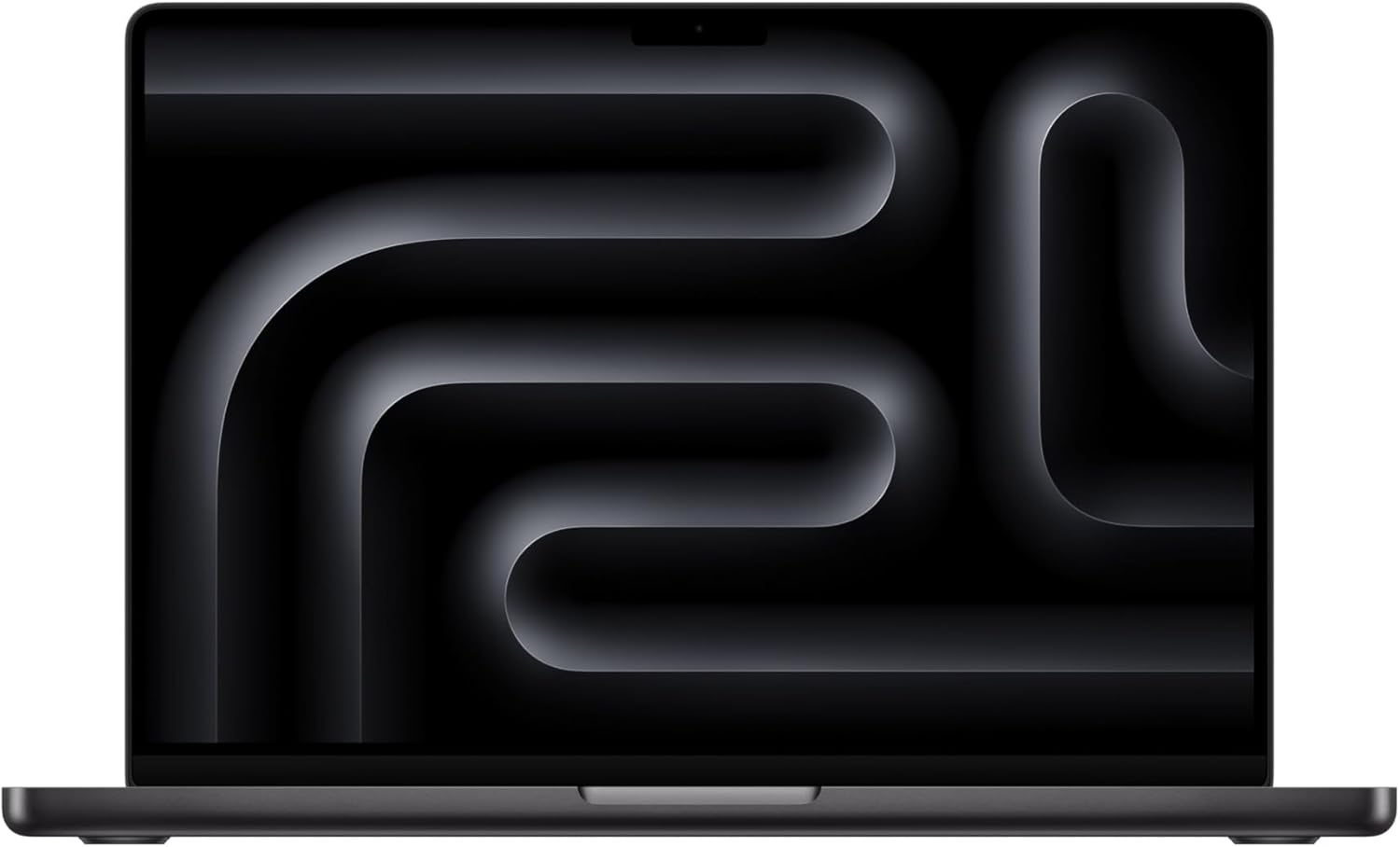
The MacBook Pro M4 Max, 48GB and up, on Amazon is the Mac we link for this tier — 546 GB/s bandwidth, though a laptop shows more thermal variability than a desktop on long runs. If you want a quiet, always-on desktop host instead, the Mac Studio M2 Max at 64GB delivers 400 GB/s, and we do not currently stock an affiliate link for that configuration.
Common Mistakes at 64GB
- Running gpt-oss 120B with 128K context. KV cache pushes you past 64GB. Cap at 32K.
- Treating 64GB as “unlimited”. macOS + browser + IDE eat 12-16GB easily. Treat 64GB as 48-50GB available.
- Running 200B+ models at IQ2 because they fit. Tool calling collapses. Stick with gpt-oss 120B Q4 or Mistral Small 4 Q4.
- Skipping Qwen 3.6 35B-A3B because it is “smaller”. The MoE design makes it faster than dense 32B models with comparable quality. Keep it as your fast-response model in dual setups.
🛒 Recommended hardware for local AI
The two Macs that handle the workloads on this page.
Amazon affiliate links — we earn a small commission at no cost to you.
Hardware That Actually Hits 64GB
- Mac Studio M2 Max (64GB) — best dedicated host
- M3 Max MacBook Pro (64GB)
- M4 Max MacBook Pro (64GB)
- 2x RTX A6000 48GB (96GB total VRAM split)
- AMD Threadripper workstation with 64GB DDR5 + RTX 4090 (CPU+GPU offload)
FAQ
What is the best local LLM for 64GB RAM in 2026?
gpt-oss 120B at Q4_K_M is the best general-purpose production pick — about 62GB, cleanest tool-call JSON of any open-weight model. For long documents, Llama 4 Scout (109B/17B MoE) at Q4 uses ~58GB and gives a 10 million token context window. For agentic coding, Poolside Laguna XS 2.1 (33B/3B MoE, 256K context) uses ~36GB at Q8 and runs via Ollama. For premium reasoning, Mistral Small 4 (119B-A6B MoE) at Q4 is the pick.
Can I run Laguna XS 2.1 on 64GB RAM?
Yes, easily. Laguna XS 2.1 is Poolside's 2026 agentic coding model: 33B total parameters with 3B active per token (MoE), 256K context window, up to 32K output tokens. At Q8/FP8 the weights use about 33-36GB, which leaves headroom for long context on 64GB. It gains +5.4% on SWE-bench Multilingual over Laguna XS.2 and is available in Ollama.
Does Llama 4 Scout fit in 64GB RAM?
Yes. Llama 4 Scout is 109B total parameters with 17B active per token (MoE). At Q4_K_M it uses approximately 58-60GB — fits 64GB with headroom for context. The 10 million token context window means you can feed entire codebases in a single run. Scout does NOT require 128GB — that is Llama 4 Maverick (400B), which is a different model.
Can I run Mistral Small 4 on 64GB RAM?
Yes at Q4_K_M (about 62GB). Mistral Small 4 (released March 16, 2026) is a 119B-A6B MoE model. 6B active parameters per token give fast inference (~25 tok/sec on Apple Silicon) with 119B-class knowledge. It fits in 64GB when you quit memory-hungry other apps.
Is 64GB Mac Studio worth it for local LLMs in 2026?
Yes for the mid-2026 model wave. 64GB is now the tier for Llama 4 Scout (10M context), Laguna XS 2.1 (agentic coding at 256K context), gpt-oss 120B Q4 (production agents), and triple-model setups. The Mac Studio M2/M3 Max at 64GB delivers 400 GB/s bandwidth and 18-31 tok/sec on 100B-class models.
What is the best LLM for 64GB VRAM?
64GB of VRAM is a GPU setup, usually two RTX 5090s or two 48GB workstation cards, and it is faster than 64GB of unified memory. The picks overlap: gpt-oss 120B at Q4 (~60GB) and Laguna XS 2.1 at Q8 (~36GB), plus Laguna S 2.1 at UD-IQ4_XS (57.6GB) on dual 5090s. See the 64GB VRAM guide for the GPU-specific answer.
What is the best local AI model for 64GB RAM?
gpt-oss 120B at Q4_K_M. It uses about 60GB, has the cleanest tool-call JSON of any open-weight model, and runs at 18-30 tok/sec on a Mac Studio M2 Max 64GB. For long documents, run Llama 4 Scout at Q4 (~58-60GB) with its 10 million token context window. Cap gpt-oss 120B context at 32K on 64GB.
What local LLM runs on an M1 Max 64GB?
The same picks as any 64GB Apple Silicon Mac: gpt-oss 120B at Q4_K_M (~60GB), Llama 4 Scout at Q4 (~58GB), or Qwen 3.6 35B-A3B at Q8_0 (~38GB) for speed. The M1 Max has the same 400 GB/s memory bandwidth as the M2 Max, so expect a similar 18-31 tok/sec on 100B-class MoE models. Treat 64GB as 48-50GB available after macOS, a browser and an IDE.
Before you order parts, check the tested hardware list for current prices by tier.
See Also
- Best local LLM for 32GB RAM — exact 32GB tier answer before you upgrade
- Best local LLM Reddit users recommend for 64GB RAM — community-search shortlist for Qwen, gpt-oss, Scout, and what to avoid
- Best Local LLMs for 48GB RAM — Qwen 3.6 at Q8
- Best Local LLMs for 96GB RAM → — Qwen 3.5 122B-A10B
- Best local LLM for 128GB RAM — 120B-class models and multi-model routing
- OpenClaw Mac Mini Setup — host setup
- Best Local LLM by RAM (hub)
Hardware check
Which local LLM can your machine run?
Pick your setup. You get the model size that actually fits, plus a practical upgrade that moves you up a tier.
Models that fit
Hardware links are Amazon affiliate links. Product links come from the reviewed OpenClaw DC affiliate list.
Need OpenClaw fixed live?
Remote rescue sessions for gateway, auth, tunnel, VPS, and model access problems.
See Rescue Session